


weather24: Forecast & Radar
4.7873.00 Reviews
App Specs
- Version
- 2.75.8
- Updated On
- License
- Free
- Downloads
- 50,000,000+
- Developer
- wetter.com Group GmbH
- Categories
- Weather
- Platform
- Android, iOS
Screenshots
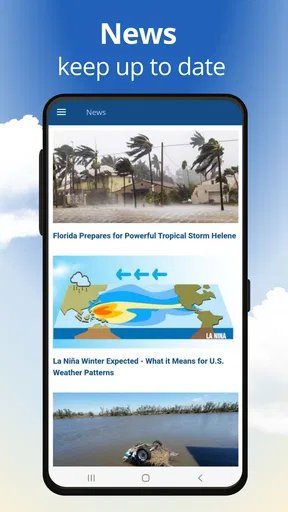
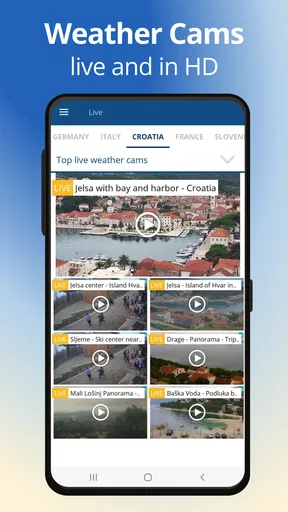
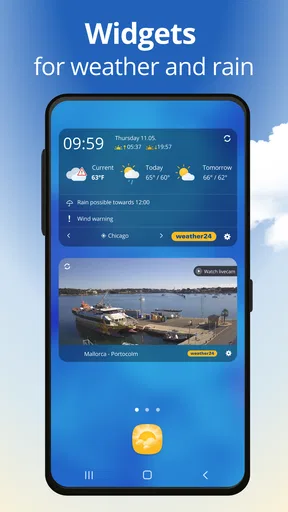
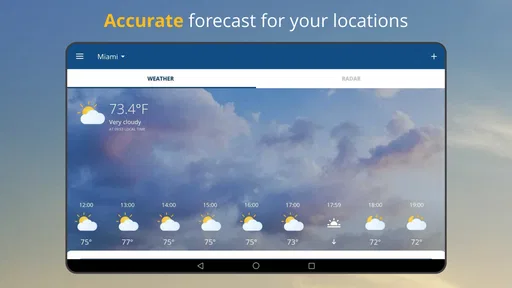
 Analysis by AppCompare
I judge a weather app less by how polished its screen looks than by whether it helps me make a sensible decision when the sky is changing. That is the question I kept in mind while using weather24: Forecast & Radar: can I check conditions quickly, decide what to bring, and know when a forecast is uncertain? Its radar focus makes it especially useful for short-term planning, though I would still treat any forecast as guidance rather than a promise.
Trust starts with what the app actually shows
Weather information is personal in a practical way: the app may need a location to show local conditions, and I want to understand what I am choosing before I share anything. I look for clear permission prompts and visible settings rather than assuming that a weather app needs every kind of access. The safest habit is to grant only what is needed for the way you use it, and to check your phone’s own permission controls if you prefer to enter places yourself.
I would not treat a clean interface or a confident-looking forecast as proof of a particular privacy practice. Those are separate questions. If you are especially careful about location data, review the app’s current permission choices on your device before enabling location access; you can then decide whether manually checking a chosen place better suits you. That small check is worthwhile for any weather service, not just this one.
Make the radar serve a decision
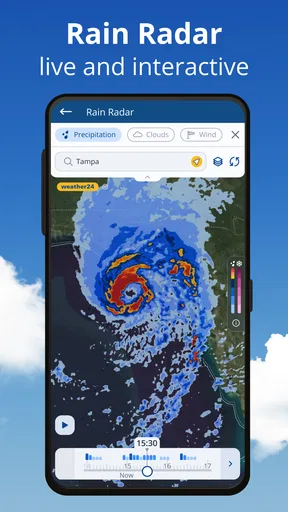
Radar is most useful when I use it to answer a narrow question: is rain moving toward my route, and do I have time to leave before it arrives? It is less helpful as a reason to keep refreshing the screen every few minutes. I check the map, compare it with the hourly outlook, and make a practical call—take a jacket, move a walk earlier, or accept that a short shower may be unavoidable.
For a commute, I would check the destination as well as the starting point. A dry morning at home does not tell me what the weather will be like when I arrive, and a saved city can make that comparison quicker. If the radar suggests rain but the forecast timing looks uncertain, I plan around the more cautious option instead of assuming the exact minute shown on a map is guaranteed.
Who will get the most from it
This app makes sense for people who check the forecast often but do not want to build a complicated weather dashboard. It is a natural fit for deciding whether to walk, cycle, hang laundry outside, or carry an umbrella. People who travel between a few familiar places may also appreciate being able to switch locations instead of repeatedly searching for each one.
It is a weaker fit if you want to contribute observations to a community, or if you need specialist forecasting for work, outdoor operations, or safety-critical plans. A general phone weather app should not replace official warnings or professional tools when the consequences of getting conditions wrong are serious. In those situations, I would use a relevant official source alongside it.
Worth Reading Before You Choose

Baby Panda World Brings Quick Play to Modern Phones, but Its Game Library Feels Busy

ESPN’s Live Game View Makes Following Close Games Easier

QuizzLand Review: A Good Fit for Short Trivia Breaks, Not Every Player

Basketball Stars: Multiplayer Is Fast, but Can It Recover When Matches Go Wrong?

WEBTOON Turns Phone Updates Into a Better Reading Routine

Link to Windows Runs on Shared Habits, Not Social Feeds
A useful routine, not a guarantee
One realistic routine is checking the app before leaving for work, then looking again before an outdoor plan later in the day. The first glance helps with clothing and transport; the second is where radar can change the decision. I would avoid leaving the map open just to watch it move, since that offers little extra value and, as my use suggested, can be harder on the battery.
There is also a useful distinction between a broad forecast and a local snapshot. The forecast helps me think about the day; radar helps me judge what may be approaching nearby. Neither removes uncertainty, especially when conditions shift quickly. I find the app most dependable as a planning aid when I combine both views and keep a backup plan for weather-sensitive activities.
Ever been caught in a sudden rainstorm without an umbrella? Yeah, me too. That's why I decided to give Weather24: Forecast & Radar a shot. After spending a week with it, I’m here to spill the tea on whether this app is worth your precious home screen real estate.
First Impressions
When you first open Weather24: Forecast & Radar, you’re greeted with a sleek and user-friendly interface. It's got this minimalist vibe that makes checking the weather almost enjoyable. The main screen displays the current temperature, weather conditions, and a quick forecast for the next few days. It’s straightforward, no clutter—just how I like my weather apps.
The color scheme is easy on the eyes, with a mix of blues and whites that mimic a clear sky. Plus, the icons are intuitive. You won’t find yourself scratching your head trying to figure out what that little picture of a cloud with a squiggly line means. Trust me, it’s pretty self-explanatory.
Diving into Features
Alright, let's talk features. One of the standout elements of Weather24 is its real-time radar. The radar gives you a live view of weather systems in your area, which is super handy when you’re trying to decide if it’s safe to leave the house without your raincoat. I found it pretty accurate, showing minute-by-minute changes that kept me prepared.
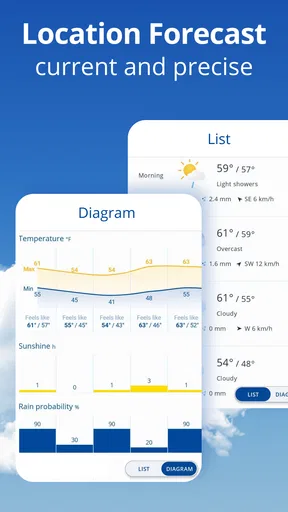
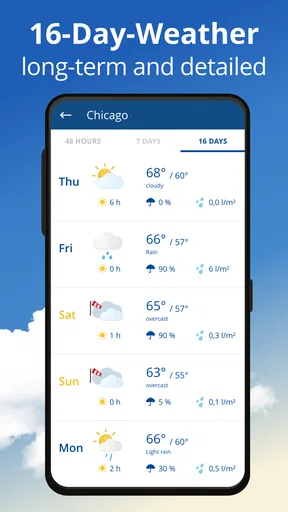
Another cool feature is the hourly and weekly forecasts. You can tap into detailed forecasts that cover everything from temperature changes to wind speed and humidity levels. It even offers insights into UV index and air quality, which is a big plus if you're planning outdoor activities.
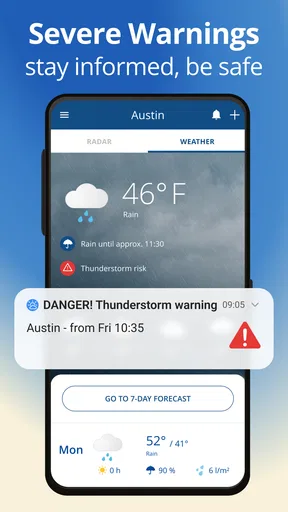
The app also sends customizable alerts for severe weather conditions. I set mine up for thunderstorms and extreme heat, and it gave me a heads-up well in advance. Not having to constantly check the app was a nice touch.
User Experience
Using Weather24 is like having a mini meteorologist in your pocket. The app loads quickly, which is great for those mornings when you’re rushing out the door. I appreciate that it doesn’t bombard you with ads, a rare find in free apps these days. It does have some premium features, but the basic version offers plenty for most users.
One of my favorite aspects is how you can save multiple locations. Whether you’re planning a trip or just keeping tabs on family in different cities, this feature is convenient. Switching between locations is a breeze, and the app retains all your settings without a hitch.
Room for Improvement
While Weather24 ticks a lot of boxes, no app is perfect. One thing I noticed is that the app can drain your battery a bit faster if you keep the radar screen open for too long. It’s not a deal-breaker, but something to be mindful of if you’re away from a charger.
It would also be nice if the app included some interactive elements, like letting users report local weather conditions. It’s not a necessity, but it’d add a community feel to the app.
Choosing it over a basic forecast
Compared with the default weather screen that comes with a phone, weather24 gives more attention to radar and the details behind a day’s outlook. That extra context is useful when rain timing matters, while a simpler app may be quicker if all you need is the current temperature. I would keep the choice practical: use this one when you regularly compare timing and locations, and stick with a basic forecast if you rarely need more than a quick glance.
It is also worth remembering that forecasts can differ between services. That does not automatically mean one app is broken; weather models and updates can lead to different expectations, particularly for local showers. If two sources disagree before an important outdoor plan, I would not cherry-pick the more convenient prediction. I would check a trusted local weather authority and plan for the less comfortable possibility.
Price, version, and everyday choices
weather24 is a free weather app from wetter.com Group GmbH, with optional in-app purchases priced from $0.99 to $6.49 per item. I would start with the free experience and decide whether anything beyond it solves a real need before spending. A purchase is easier to justify when it addresses a regular annoyance; it is not necessary just to find out whether the basic forecast and radar suit your routine.
The current version is 2.75.0, and the app is listed for devices running Android 6.0 or later. Its age rating is Everyone. Those details make it straightforward to assess compatibility, but I would still check the version and permissions shown on my own device before installing, especially on an older phone or one with limited storage.
With a 4.7 average from around 1.5 million ratings and over 50 million installs, it has clearly found a large audience. I read that popularity as a reason to consider it, not as proof that its local forecast will always be right for my street. Forecast usefulness depends on the place and situation, so I would judge it by how well its timing and presentation support my own decisions.
Final Thoughts
All things considered, Weather24: Forecast & Radar is a solid choice for anyone looking to stay ahead of the weather. Its clean design, accurate forecasts, and handy features make it a must-have for your digital toolkit. Whether you're a weather geek or just someone who hates getting caught in the rain, this app has got your back.
If you’re curious to see what the fuss is all about, why not give it a try? You can find the download links for Android and iOS right on our site. Happy forecasting!
Pros
- Accurate weather predictions with hourly updates.
- User-friendly interface with intuitive navigation.
- Wide range of weather data including radar maps.
- Customizable alerts for severe weather conditions.
- Supports multiple locations for travel planning.
Cons
- Contains ads that can be distracting at times.
- Limited offline functionality without internet.
- Premium features locked behind a paywall.
- Occasional delays in loading radar maps.
- Battery consumption can be relatively high.
FAQs for weather24: Forecast & Radar
What features does Weather24: Forecast & Radar offer?
Weather24: Forecast & Radar provides real-time weather updates, detailed forecasts, and radar imagery. It includes features like severe weather alerts, hourly and weekly forecasts, and customizable weather widgets. Users can also access global weather coverage, making it a comprehensive tool for staying informed about weather conditions anywhere.
Is Weather24: Forecast & Radar free to use?
Weather24: Forecast & Radar offers a free version with basic features. However, there may be in-app purchases or a premium subscription that unlocks additional features, such as ad-free use, advanced radar options, and more detailed forecasts. It's advisable to check the app store for specific pricing details.
How accurate are the forecasts provided by Weather24?
Weather24: Forecast & Radar uses data from reliable meteorological sources to deliver accurate forecasts. While no weather app can guarantee 100% accuracy, Weather24 is designed to provide timely and precise updates. The app's radar and alert systems enhance its accuracy for short-term predictions, helping users plan accordingly.
Can I customize notifications in Weather24?
Yes, Weather24 allows users to customize notifications to suit their needs. You can set alerts for severe weather conditions, daily forecasts, or specific weather events. These customizable alerts ensure you receive timely information relevant to your location and preferences, enhancing the app's usability and convenience.
Does Weather24: Forecast & Radar require an internet connection?
An internet connection is necessary for Weather24 to provide the most current weather data and updates. While some basic features might be accessible offline, such as previously loaded data, the app functions best with an active internet connection to ensure accurate and up-to-date information.


